
What is a B2B portal, and when do you actually need one?
A B2B portal is not a login wall on a retail theme. It is how trade buyers see their prices, reorder, and stay inside credit without calling your team every week.
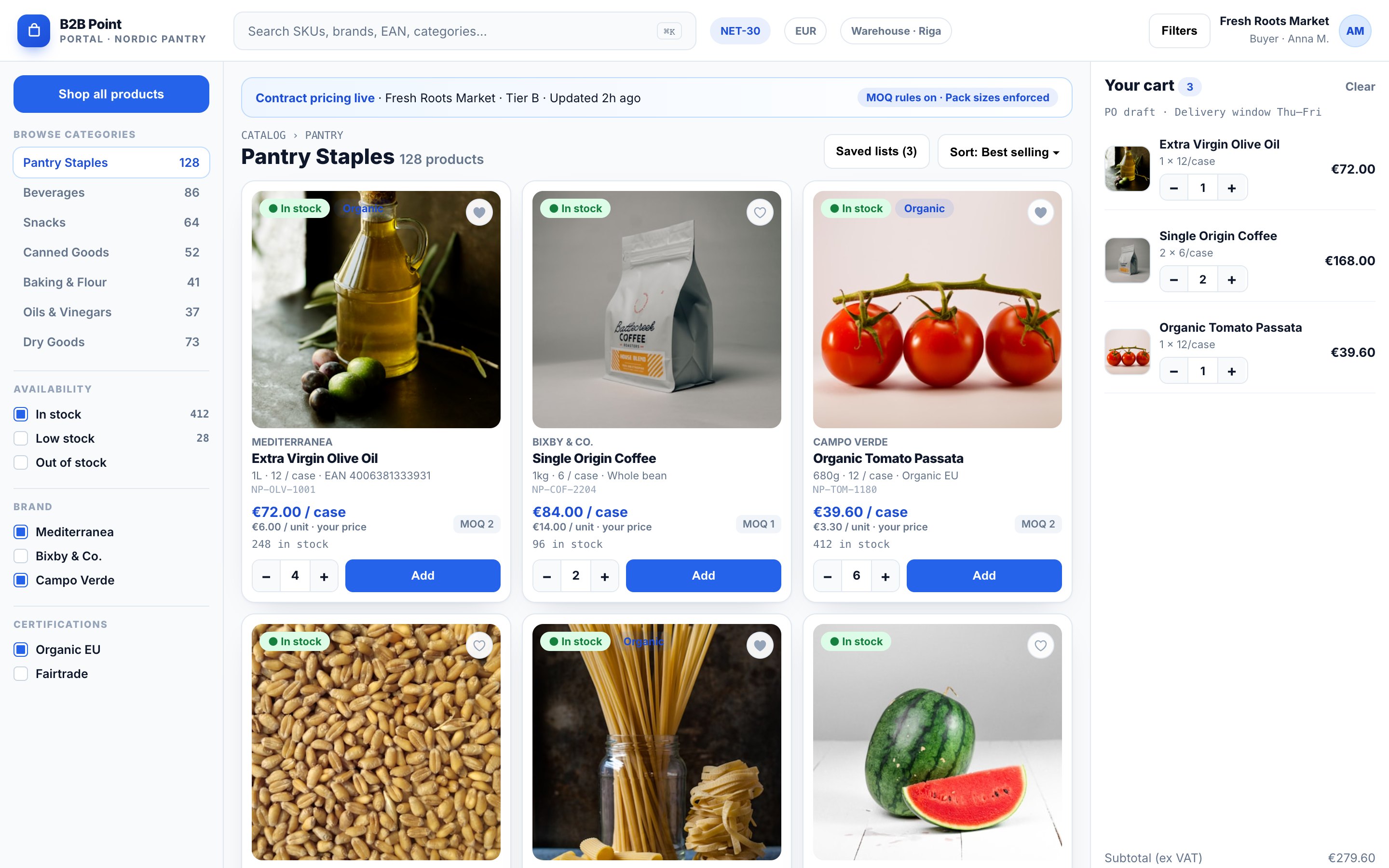
If your buyers already know their SKUs, their net prices, and their delivery day, a consumer checkout is the wrong door. A B2B portal is the branded place where company accounts, price lists, and reorders live. Trade customers serve themselves, and your ops team stops re-typing emails into the ERP.
What a B2B portal actually is
At minimum, a portal ties a logged-in company to the commercial rules that already exist in your business: who can buy, at what price, in which units, and under which payment terms. The storefront presents those rules. It should not invent a second set of them.
- Company accounts and roles (buyer, approver, admin)
- Customer-specific or group price lists
- MOQs, pack sizes, and case quantities
- Quick order, CSV upload, and one-click reorder
- Quotes, net terms, credit checks, and invoices where you offer them
When you need one
You likely need a portal when phone and email orders are still the main channel, when the same buyers reorder weekly, or when wrong prices on the website create credit notes. If guests and trade customers see the same list price, you are leaving margin and trust on the table.
When to wait
If you have fewer than a handful of trade accounts and every order is a negotiated project, a lightweight quote flow may be enough. Build the portal when repeat ordering and price accuracy matter more than brochure pages.
How to start without boiling the ocean
- List the three buyer jobs that create the most support load today.
- Map where price lists and company records already live (ERP, spreadsheets, old shop).
- Ship a thin portal: login, prices, and reorder. Then add quotes and credit.
- Connect orders to the ERP before you polish every category banner.
If you want a fixed-price map before build work, start with Blueprint. If you want to see live portals in the field, browse our case studies.
Written by B2B Point, wholesale commerce agency in Riga, Latvia.